Accurate
NVIDIA's Parakeet speech model, one of the most accurate open models, with punctuation, capitals and voice-activity detection.
 Tiro
Tiro
Free & open source · Windows and Mac
Your words appear wherever your cursor is, in any app, with punctuation and capitals. It learns the names and words you use, and it runs entirely on your own computer.
Windows 10/11 · Mac with Apple Silicon (M1 or newer). Intel Macs aren't supported.
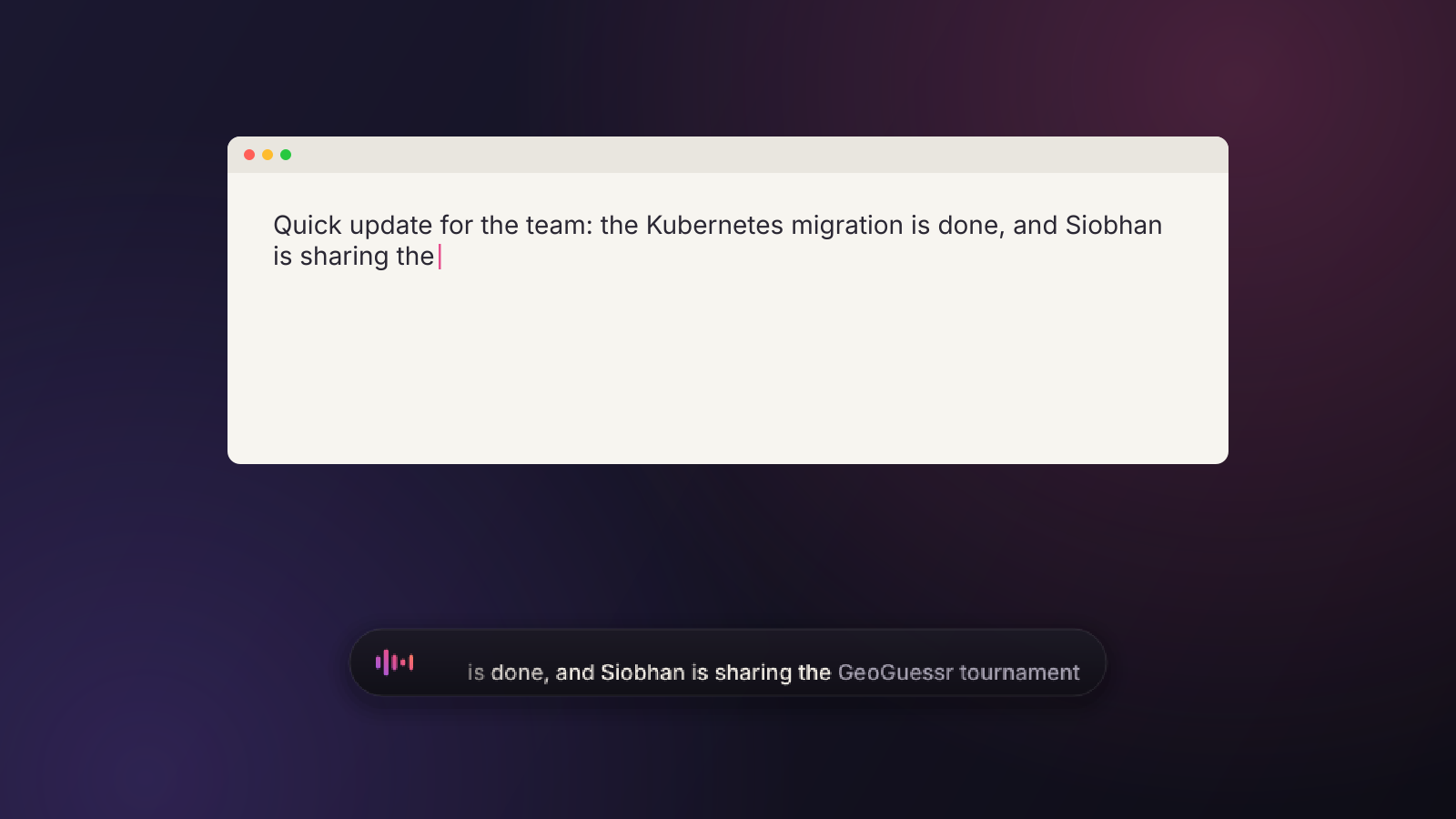
NVIDIA's Parakeet speech model, one of the most accurate open models, with punctuation, capitals and voice-activity detection.
Learns the names, brands and terms you use, so “GeoGuessr”, “Siobhan” or “Kubernetes” come out the way you write them.
Corrections can only swap a misheard word for one that sounds like it. It never rephrases, reorders or tidies your words.
Text streams in while you talk, and the rest lands about 0.05 s after you let go of the key (measured on an RTX 3070).
Email, chat, code editors, forms, documents: whatever has the cursor. Paste mode restores your clipboard.
Press Ctrl+Alt+F to correct the last dictation. Tiro remembers the fix and gets it right from then on.

Recognisers are great at everyday English and weaker on the words that matter to you. Tiro fixes the last few per cent in tiers, cheapest first.
Confident, ordinary words pass straight through. Most sentences stop here, in microseconds.
Doubtful words are matched against your dictionary, the fixes you've taught and your history. Each candidate is checked against the audio itself.
For close calls, a small AI model running on your computer picks the option that fits your sentence, or keeps what you said.
No audio, text or history is sent anywhere. Speech recognition, corrections and learning all run locally: no account, no telemetry, no cloud.
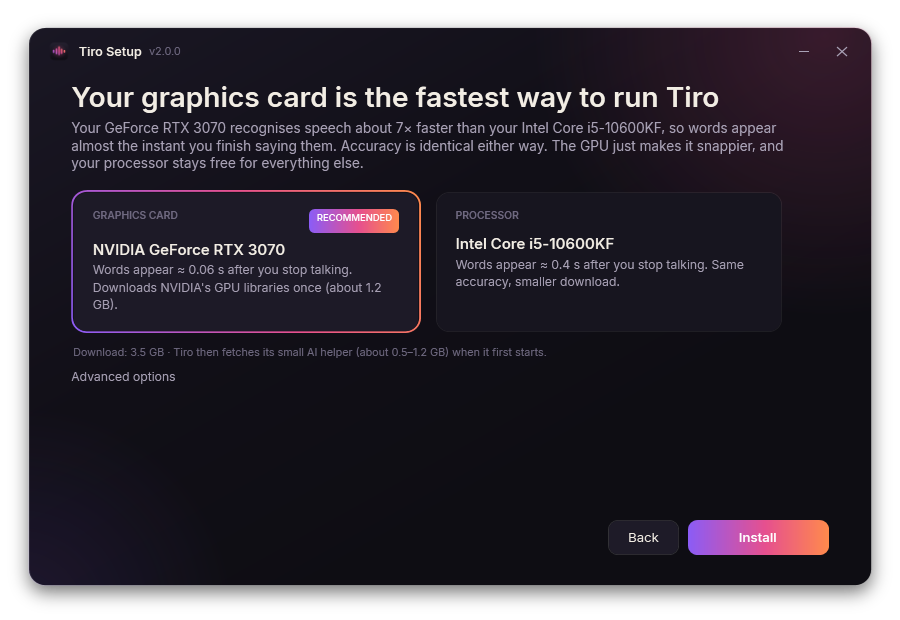
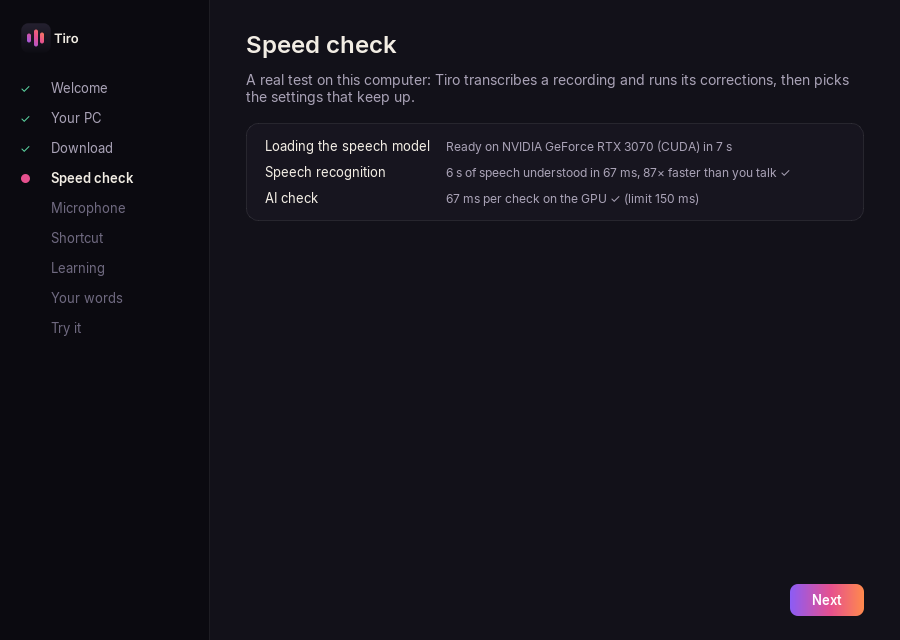
The installer checks your processor, graphics card, graphics memory and RAM, picks the fastest way to run Tiro, and explains why in plain English. Then a real speed test, your microphone and shortcut, and a test dictation.
| Computer | Speech recognition | Words appear |
|---|---|---|
| Windows + NVIDIA RTX 20-series or newer | Graphics card (CUDA) | ≈ 0.05–0.1 s after you stop |
| Windows, any other graphics | Processor | ≈ 0.3–1 s after you stop |
| Mac with Apple Silicon (M1+), macOS 13+ | Apple Silicon CPU cores, AI check on the GPU | ≈ 0.1–0.6 s after you stop |
| Intel Mac | Not supported | |
Yes. Tiro is open source under the MIT licence. There's no account and no subscription.
Only to download Tiro and its models during setup, and to check for updates (Settings → Updates can switch that off). Dictation always works offline.
On Windows, Tiro checks now and then (never while you dictate), downloads only what changed, checks every file against a signed list and installs it the next time it starts. If a new version doesn't start properly, Tiro goes back to the one you had. On a Mac it tells you about a new version and opens the download (untested on a real Mac so far).
Tiro isn't signed with a paid Apple Developer ID, so macOS asks once. Open System Settings → Privacy & Security and click Open Anyway next to the message about Tiro. Step-by-step instructions.
English by default (the most accurate model). During setup you can pick a model for 25 European languages instead.
Right Ctrl on Windows and Right Option (⌥) on a Mac. Hold it while you talk. You can change it to almost any key.
Free and open source · MIT licence